Google Ads Management for Local Businesses
Google Ads for Local Businesses
Local PPC that reaches nearby customers at the moment they need you
Local businesses win on Google when they show up for people nearby who are ready to call, book or visit. I build local campaigns with tight service-area targeting, call and direction tracking, and ad copy that makes your business the obvious choice in your area, without the wasted clicks that come from default settings.
- Presence-only targeting so you pay for people in your area, not people reading about it
- Call, form, booking and direction-request tracking
- Google Business Profile connected for location and call assets
Google Ads for local businesses works best when campaigns are built around a real service area and real customer intent. Local business PPC is different from national campaigns: tighter targeting, more phone calls and less room for wasted clicks. Whether you run a shop, a clinic or a service company, I set up local service Google Ads that focus on booked customers.
Why Google Ads underperforms for local businesses
These are the problems I see most often when auditing accounts in this industry.
Ads showing outside your area
Google's default "Presence or interest" setting shows your ads to people who are merely interested in your city. For a local business, that is budget spent on people who will never walk in or call.
Competing with national brands and lead aggregators
Big brands and lead-selling directories bid on the same local searches. A small account needs sharper keywords and better ads to win clicks at a fair price.
Google Business Profile not connected
Without location assets, your ads miss calls and direction requests from Maps and lose the local trust signals that reviews provide.
Generic ads
Ads that do not mention your neighborhood, city or what makes you local lose to competitors whose ads do.
Conversions that are not tracked
Calls, bookings and store visits are the real outcomes for a local business. Most small accounts track none of them properly, so the platform cannot optimize.
My Google Ads strategy for local businesses
How campaigns are researched, built and optimized for this industry.
Keyword research with local intent
I focus on the searches that signal someone nearby is ready to act: "near me", city and neighborhood names, "open now", "same day" and the specific service or product you offer.
Search campaigns first
Local Search campaigns capture people actively looking. Performance Max with store goals is added for businesses that want foot traffic, and Local Services Ads for eligible service categories.
Campaign and ad group structure
Campaigns are split by service or product line and, for multi-location businesses, by location. Ad groups stay tight so the ad matches the search.
Local ad copy
Headlines mention the city or neighborhood, years in the community, reviews, hours and what makes you different from the chain down the road. Call, location and review assets add trust.
Location targeting
Targeting is set to the exact area your customers come from, using "Presence" so only people physically there trigger ads. Bid adjustments favor the neighborhoods that convert.
Negative keywords
Jobs, DIY, wholesale, "free" and unrelated brand searches are blocked before launch, with weekly additions from real search terms.
Budget and bidding
Local budgets are often small, so every click matters. I start with controlled bidding, then move to conversion-based bidding once calls and bookings are tracked reliably.
Search term optimization
Weekly search term reviews keep the account focused on the exact searches that bring customers through the door.
Landing page optimization
Local landing pages show the address, hours, phone number, reviews, service area and a simple way to book or call. For store visits, directions and a map are front and center.
Example campaign structure
A realistic starting structure based on how customers in this industry search. Match types shown as [exact], "phrase" and broad.
Core Service - Search
Goal: Calls and bookings from nearby customers
Ad group: Service + Near Me
"[your service] near me"[your service] + cityAd group: Service + Neighborhood
"[your service] in [neighborhood]""best [your service] [city]"Urgent and Same Day - Search
Goal: High-intent, time-sensitive searches
Ad group: Same Day
"same day [your service]""[your service] open now"Ad group: Emergency
"emergency [your service]""24 hour [your service]"Brand - Search
Goal: Protect your name from competitors and aggregators
Ad group: Brand
[your business name]"[your business name] reviews"Store Visits - Performance Max
Goal: Direction requests and visits for walk-in businesses
Ad group: Asset group by location
Audience signals: local searchers and past customers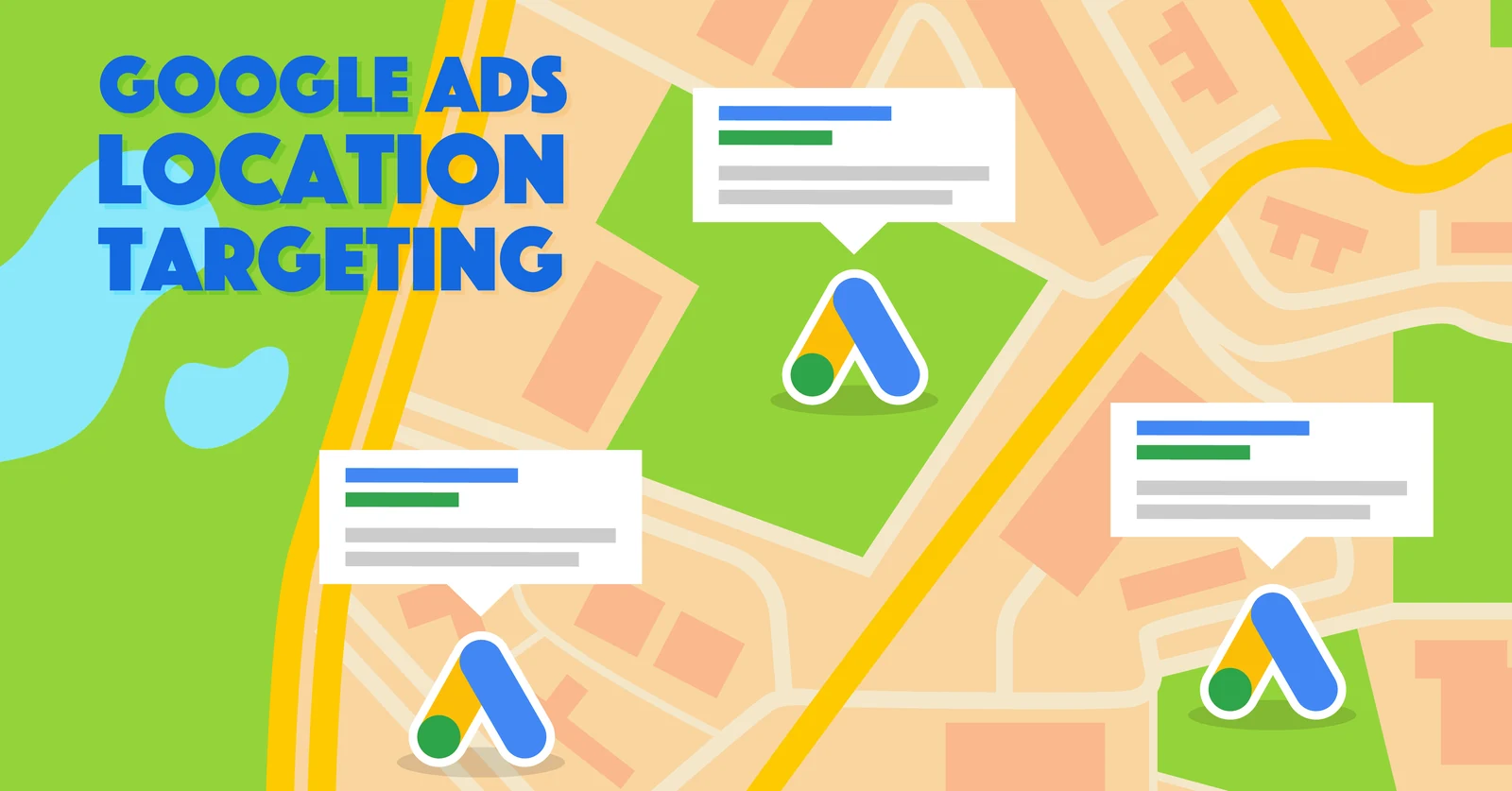
Location targeting
For a local business, targeting is the whole game. The difference between a profitable account and a wasteful one is often one setting.
- Switch from "Presence or interest" to "Presence" so only people physically in your area see ads.
- Target by ZIP code, neighborhood or a tight radius around your location rather than the whole metro.
- Use location bid adjustments to spend more where customers convert and less where they do not.
- Link Google Business Profile so ads show your address, hours, reviews and directions.
- For multi-location businesses, run one campaign per location with its own budget and landing page.
Google Ads services for local businesses
Everything needed to run the account properly, from the first audit to monthly reporting.
Google Ads Audit
Find out where your Google Ads budget is going and what to fix first
Google Ads Management
Done-for-you Google Ads management from a certified specialist, not an agency account queue
Google Search Ads
Search campaigns built on the searches that mean someone is ready to buy
Google Ads Conversion Tracking
Conversion tracking you can trust, so every bidding decision is based on real leads and sales
Google Tag Manager Consulting
A clean, documented GTM setup for every tag your marketing depends on
Looker Studio Reporting
One dashboard that shows spend, leads, sales and cost per result, updated automatically
Conversion and lead-quality tracking
I track calls from ads and from your website, form submissions, online bookings and direction requests as separate conversion actions through Google Tag Manager and GA4. With Google Business Profile linked, store visit and local action data appear in Google Ads too. For businesses with a booking system or POS, offline conversion tracking connects completed appointments and sales back to the search that started them.
The journey we measure
- 1Google Ads click or Maps impression
- 2Phone call, booking, form or direction request
- 3Qualified lead or walk-in
- 4Appointment or visit
- 5Purchase or booked service
- 6Repeat customer and reviews
Verified Google Ads results
Google Ads results for local businesses
Case studies from real Google Ads campaigns I manage, with verified before and after results on each page.
 Home Services
How I Generated Leads for a Home Services Company With Google Ads
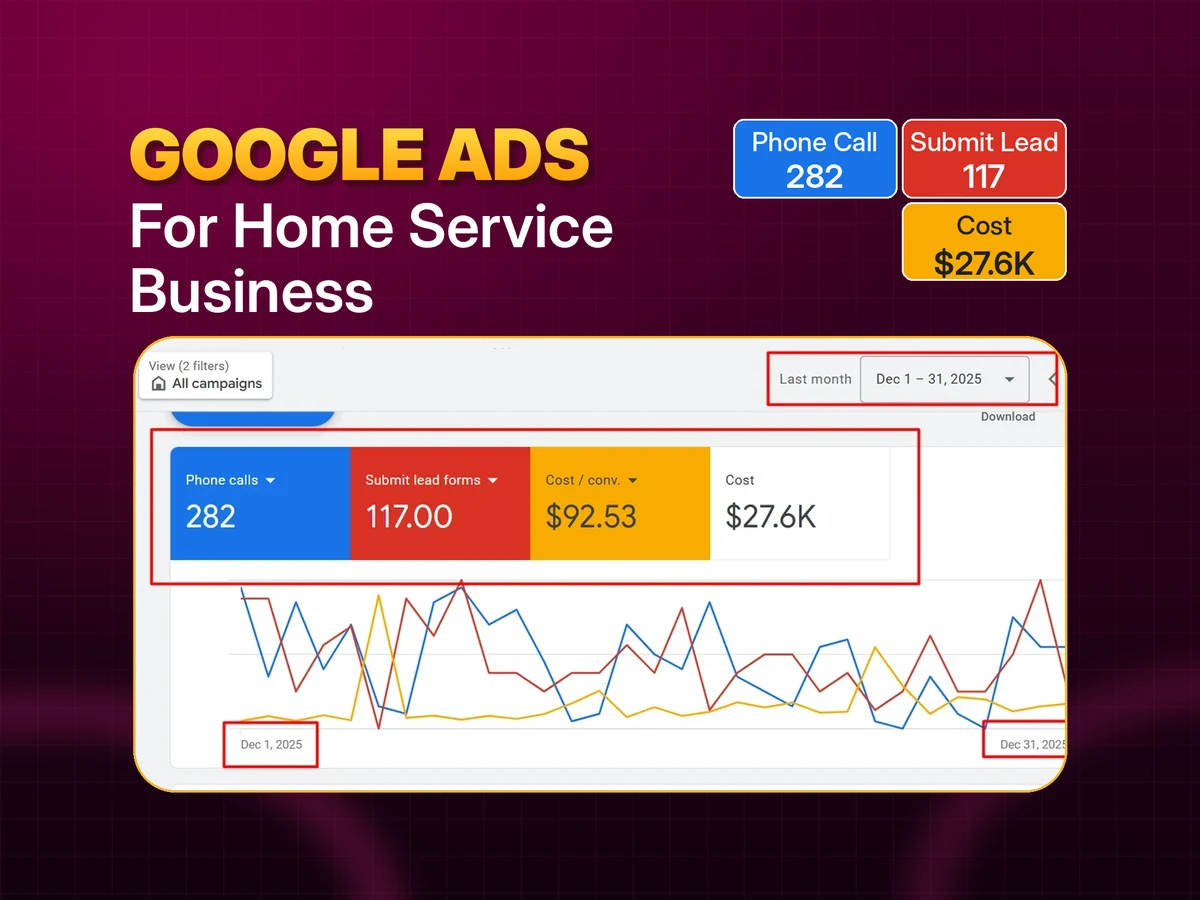
Restructured Google Ads for a home services business by service and city. Monthly phone calls grew from 67 to 282 and cost per conversion dropped 11%.
282
Phone calls a month (from 67)
117
Form leads a month (from 54)
-11%
Cost per conversion
 Auto & Tire Services
How I Generated 630 Phone Calls for a Mobile Tire Service With Google Ads
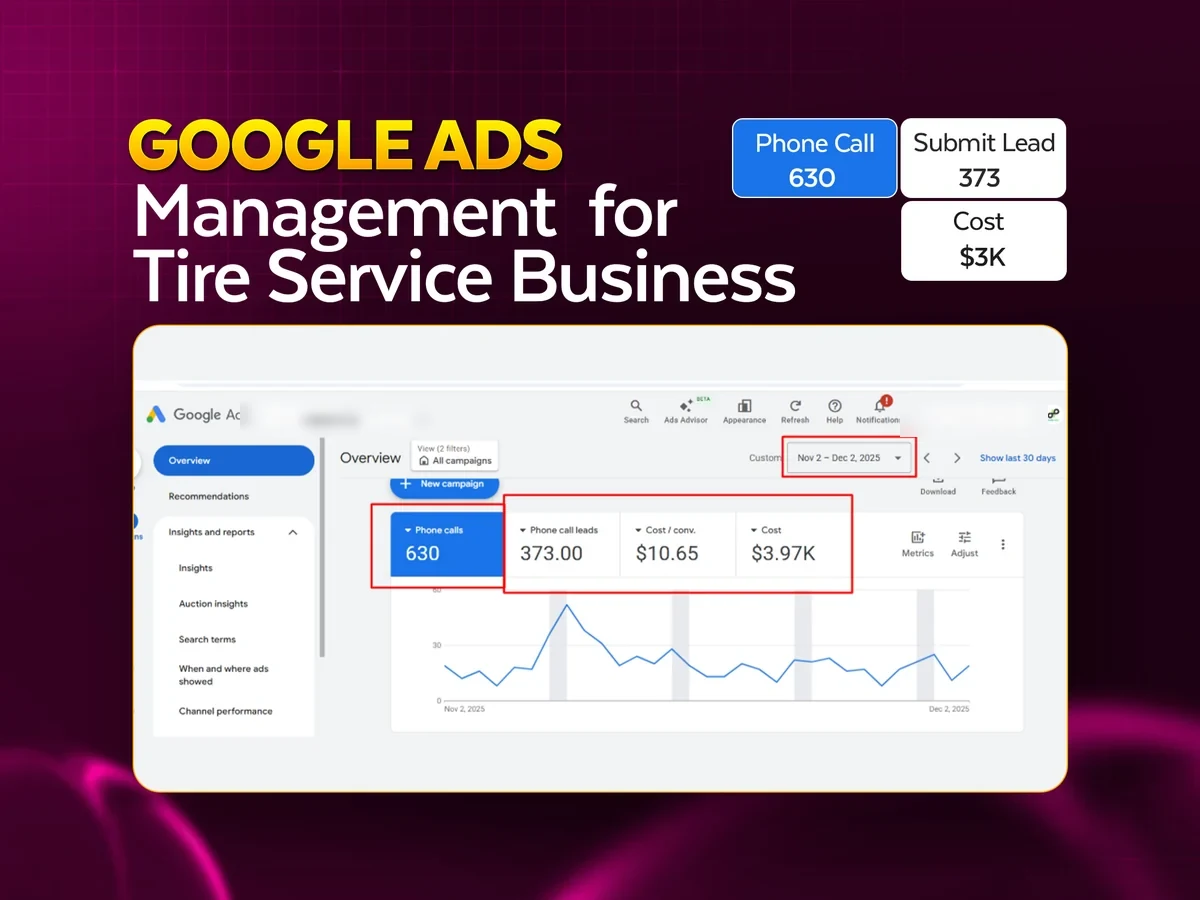
Call-focused local campaigns for a mobile tire service: 630 phone calls and 373 call leads in 30 days at CA$10.65 per conversion.
630
Phone calls in 30 days
373
Call leads
CA$10.65
Cost per conversion
Real Google Ads results
How we work together
From the first audit to ongoing management and reporting.
Free audit and strategy call
I review your account (or your market, if you are starting fresh), your website and your tracking, then walk you through what I would change and why.
Tracking setup
Calls, forms, bookings or purchases are tracked through Google Tag Manager and GA4 before scaling spend, with offline conversions connected where you have a CRM.
Campaign build or restructure
Campaigns, ad groups, keywords, ads, assets, negatives and location settings built in your own account.
Launch and daily checks
Close monitoring in the first two weeks to catch wasted search terms and tracking issues early.
Weekly optimization
Search terms, bids, budgets, ads and landing pages reviewed and adjusted every week.
Monthly reporting
A Looker Studio dashboard with spend, leads or sales and cost per result, plus a short summary of what changed and what is next.
Google Ads for local businesses: frequently asked questions
Can Google Ads get more people to visit my store?
Yes. With your Google Business Profile linked, campaigns can optimize for direction requests and store visits rather than just website clicks, and ads show your address, hours and reviews.
How small a budget can a local business start with?
Smaller than most people expect, as long as the budget buys enough clicks each day to learn. I review the cost per click in your market and recommend a starting budget in the free audit.
Why am I getting calls from outside my area?
Usually because location targeting is set to "Presence or interest". Switching to "Presence" and tightening the target list fixes most of it.
Do you manage Local Services Ads?
Yes, for eligible categories. They charge per lead, appear above Search ads and work well alongside a Search campaign.
Should I bid on my own business name?
Usually yes, at a low cost. It protects your name from competitors and lead aggregators and gives you control over what people see when they search for you.
How do you track phone calls?
Calls from ads and from your website are tracked with call tracking and a minimum duration, so misdials and spam are not counted as conversions.
How quickly will I see results?
Local Search campaigns often produce calls and bookings in the first week. The first month is about cutting waste and tuning targeting so cost per customer comes down.
Do I need a new website?
Not necessarily. A focused landing page with your phone number, hours, reviews and a simple booking option usually does the job. I review your current site and recommend the smallest changes that will help.
Related services
Other industries I work with
See all industries, browse case studies or read the Google Ads blog.
Get a free local Google Ads audit
I will check your targeting, search terms, tracking and Google Business Profile connection and show you where local budget is being wasted.
Get In Touch
Let's Grow Your Business
Ready to scale? Send me a message and let's discuss your marketing goals.